In the modern era, IT services are the driving force behind nearly all businesses. You might have a small startup, an expanding SME, or a big business, but you count on technology—networks, applications, data, security, support—to help keep things up and running. Your operations can break or succeed depending on the selection of the right services for IT.
In this guide, I’ll show you:
- What “services for IT” means
- Types of IT services that are core to businesses
- Value and benefits of good IT services
- Common mistakes most make when choosing IT services
- A step-by-step guide on how to choose the right IT services or service provider
- True stories and lessons learned
- How investing in quality IT services makes you confident
- Summary & action steps
Let’s begin.
1. What Does “Services for IT” Mean ?
When someone says “services for IT,” they refer to the broad range of professional, technical, and managed support functions that help an organization design, run, secure, maintain, and evolve its technology infrastructure and systems.
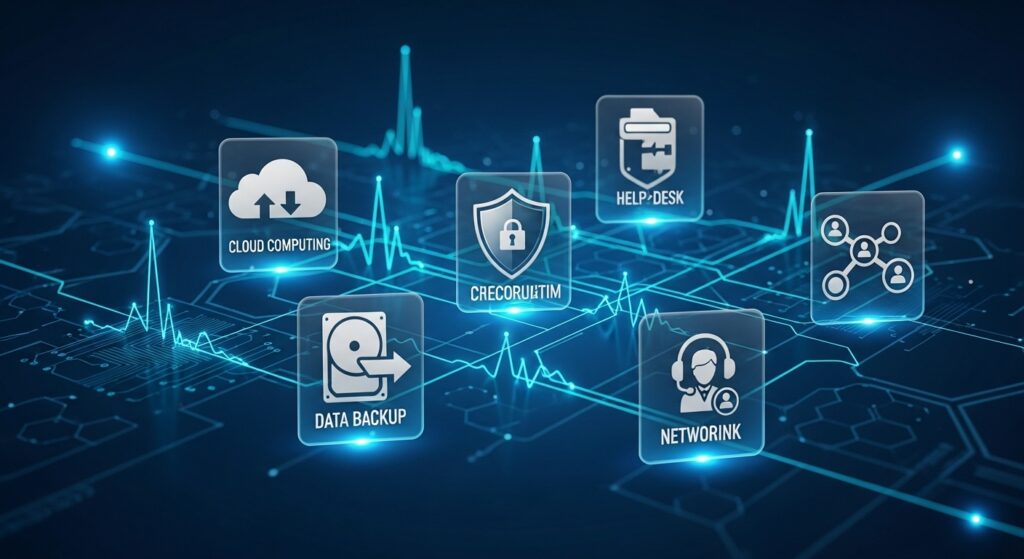
These services might include:
- Managed IT services — outsourcing day-to-day IT operations to a third party.
- IT consulting & strategy — planning technology direction, advising on tools, architecture.
- Cloud services — hosting, infrastructure, platforms delivered over the internet.
- Network & infrastructure — switch, router, server, connectivity management.
- Cybersecurity & compliance — defending against attacks, complying with regulations (such as GDPR).
- Software development & support — creating, configuring, supporting applications.
- Help desk / support desk — answering users, resolving issues, offering advice.
- Data services & backup/disaster recovery — keeping your data secure, accessible, and recoverable.
These are usually provided by internal IT departments or external service providers / managed service providers (MSPs). In other models, IT is handled as a service you “subscribe to” — IT-as-a-Service (ITaaS) (Wikipedia).
So “services for IT” is a catch-all term that includes everything that ensures your technology stack is healthy, secure, and moving towards your business objectives.
2. Core Types of IT Services You Should Know
Let’s go in-depth about the primary types of IT services most companies utilize. Knowing about them makes it easier for you to select what you require.
2.1 Managed IT Services
Managed services are when you’ll outsource the majority or segments of your IT functions to a vendor who’ll actively monitor, maintain, and manage systems. This is best if you prefer to free up operational burden.
Sources: Cloudian, Tailwind Voice & Data
Common managed services include:
- 24/7 network monitoring & alerts
- Patch management & software updates
- Endpoint & server maintenance
- Helpdesk support
- Infrastructure performance tuning
- Security monitoring
2.2 IT Consulting & Strategy
When your business is at the stage where you require guidance—what architecture to implement, what technologies to spend money on, how to grow—you hire IT consulting. This includes:
- Evaluating existing systems
- Suggesting best practices, platforms, and roadmaps
- Technology audits
- Digital transformation planning
Occasionally, you’ll require strategic counsel to prevent pricey blunders.
2.3 Cloud & Infrastructure Services
Most businesses today migrate from on-premises servers to cloud infrastructure. Cloud offerings comprise IaaS (infrastructure as a service), PaaS (platform as a service), SaaS (software as a service), and hybrid offerings.
Sources: DesignRush, Atlassian
Infrastructure services also include:
- Network installation & administration (LAN, WAN)
- VPNs, firewalls, switches, load balancers
- Data centers or cloud infrastructure
- Connectivity and bandwidth control
2.4 Cybersecurity & Compliance
Security is no longer a choice. These services assist in securing your systems, data, and reputation:
- Firewalls, intrusion detection/prevention
- Encryption, identity and access management
- Vulnerability scanning, penetration testing
- Security operations center (SOC)
- Compliance audits (GDPR, ISO 27001, etc.)
2.5 Software Development & Application Support
Custom software or apps are required by many companies. IT services in this category are:
- Custom app development
- Module/plugin development
- Legacy system maintenance
- API integrations
- Testing, version upgrades, bug fixing
Software is a business enabler when executed properly.
2.6 Help Desk & End-User Support
Your users will always have issues—lost passwords, software problems, hardware malfunctions. A helpdesk/support function is the first line:
- Tier 1, 2, 3 support
- On-site or remote support
- Troubleshooting, incident management
- Service request handling
This reduces downtime and frustration.
2.7 Data Services, Backup & Disaster Recovery
Your data is valuable. These services keep it safe and accessible even in disaster scenarios:
- Automated backups (onsite, offsite, cloud)
- Disaster recovery planning & drills
- Storage architecture design
- Data replication, archiving
- Database management
3. Benefits & Value of Quality IT Services
Why do companies spend so much on IT services? Because they provide tangible value. Here are the major benefits:
3.1 Reliability & Uptime
Proactive monitoring and management mean smoother-running systems, fewer outages, and quicker recovery.
3.2 Focus on Core Business
You don’t want to be removed from focus on repairing servers. Outsourcing IT allows you to focus on what you are best at.
3.3 Cost Predictability
Managed or subscription models allow you to budget for IT expenses, sidestep unexpected repair bills.
3.4 Scalability & Flexibility
As you expand, your IT services scale (cloud, infrastructure, team) without extensive rework.
3.5 Security & Risk Mitigation
Professional IT services minimize vulnerabilities, enable you to meet regulations, and safeguard your data.
3.6 Innovation & Competitive Edge
With professional IT support and consulting, you can embrace new technologies (AI, IoT, automation) sooner.
4. Most Common Errors While Choosing IT Services
To prevent you from running into trouble, here are common errors and how to steer clear of them:
- Blind lowest cost selection — inexpensive providers may compromise on quality
- Ambiguous deliverables — failing to specify what services you receive
- Not addressing security and compliance — risking data theft or fines
- No SLA or adequate contracts — no commitment on uptime or response
- Not verifying references or prior work — don’t depend on promises alone
- Extending too quickly — beginning with too many services before core ones are solid
5. Step-By-Step Guide: How to Select & Deploy IT Services
Below is a step-by-step process you can use to select and deploy IT services in your organization.
Step 1: Define Your Needs & Objectives
- Take inventory of current systems, pain points, and objectives
- Prioritize must-have services first (security, backup, support)
- Estimate growth plans, regulatory needs, and critical systems
Step 2: Research & Shortlist Providers
- Look for providers offering the services you need
- Check client reviews, case studies, certifications
- Ensure they have experience in your industry or size
Step 3: Request Proposals & Ask Questions
Ask proposals to include:
- Scope and deliverables
- SLAs (uptime, response time)
- Pricing model
- Support hours & escalation paths
- Security measures, compliance
Step 4: Pilot / Proof of Concept (PoC)
Begin with a small service (e.g., monitoring, backup) to validate the relationship, response times,and quality.
Step 5: Contract & SLA Agreement
Cover:
- SLAs for uptime, repair, and response
- Exit terms and data ownership
- Penalties for non-performance
Step 6: Implementation & Onboarding
- Move systems / set up infrastructure
- Integrate with other tools/platforms
- Train users
- Watch closely in the first weeks
Step 7: Monitoring, Maintenance & Review
- Use dashboards, reporting
- Regular reviews
- Scale services as needed
- Modify contracts, optimize performance
6. Anecdote: How Proper IT Services Saved a Growing Business
Here’s an example.
A small business in Birmingham was expanding rapidly. Their internal IT department struggled: servers crashed, backups failed, and staff were frustrated. Growth slowed.
They engaged a managed IT services firm that initially audited their systems, then transferred core operations to the cloud, installed automated monitoring, enhanced security, and offered a 24/7 helpdesk.
Within months, downtime fell to almost zero, staff were more contented, customers perceived quicker response, and the management could concentrate on growth. The owner stated:
“We thought we were just paying for support—but we bought peace of mind, and that enabled us to grow without fear.”
That’s the magic of good services for IT.
7. Why You Should Invest with Confidence in IT Services
You may think: “Is this worth the money?”
The answer is yes — if done correctly.
- You’re not paying for labour — you’re paying for know-how, systems, and risk avoidance
- Good services are business enablers
- You minimize unseen costs (downtime, data loss, security penalties)
- You gain a strategic edge since you can embrace new technologies sooner
When a provider gives you clear SLAs, open billing, references, and a roadmap, you can proceed with confidence.
8. Summary & Next Steps
Let me wrap this up:
- Services for IT cover many areas: managed services, consulting, cloud, security, development, support, data, etc.
- The right combination depends on your business goals, risk tolerance, size, and plans.
- Avoid choosing only by price; focus on reputation, SLAs, clarity, and references
- Follow a structured process: assess needs, shortlist, pilot, onboard, review
- Good IT services save you money, mitigate risk, enable growth, and allow you to focus on your core business